CPO and EMSP

DARSA CHARGING PLATFORM · CPO + eMSP

One platform.
A whole network of possibilities.

From managing chargers to your next trip. We connect infrastructure, drivers, fleets and energy into a unique DARSA experience.
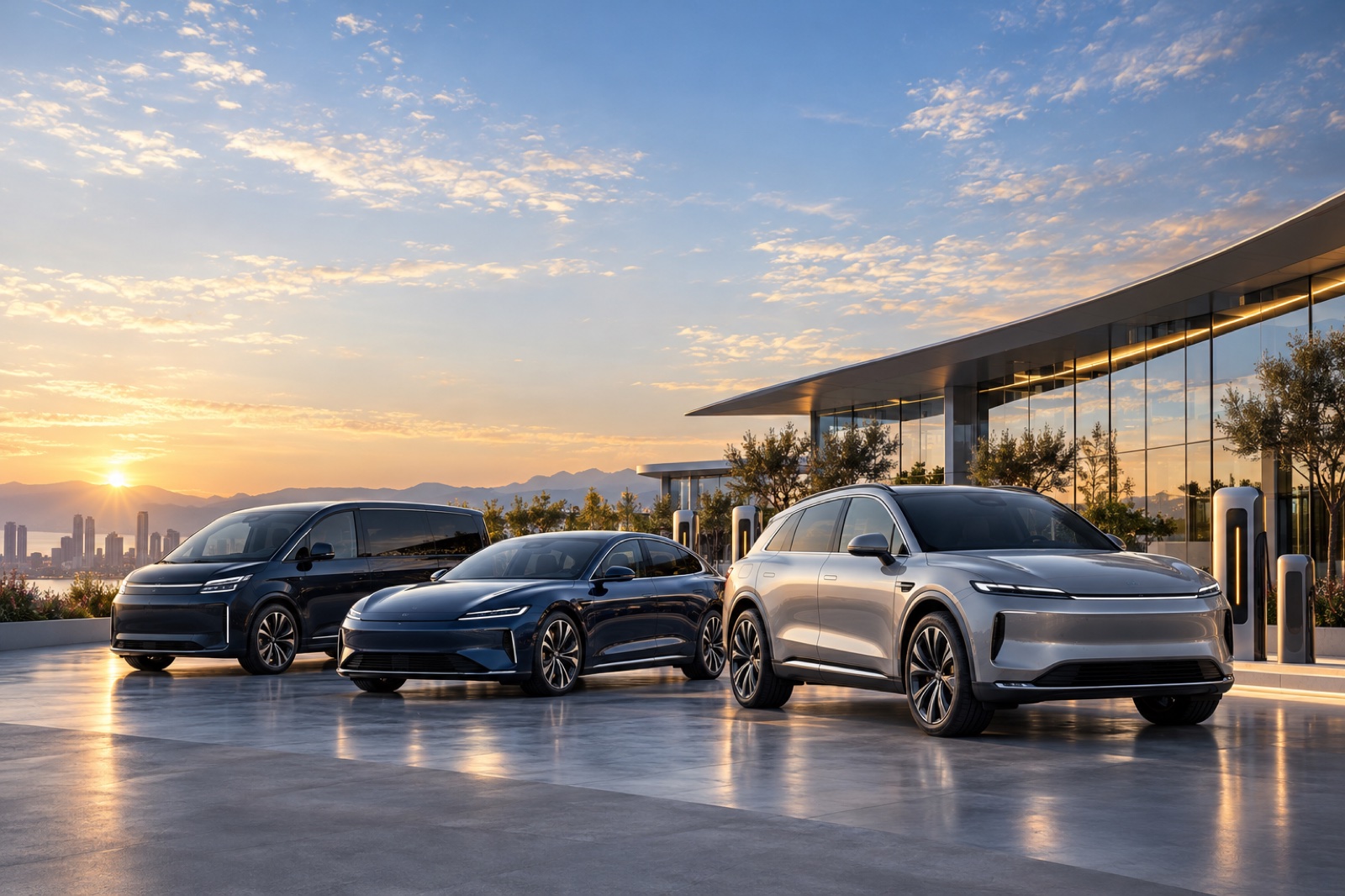
DARSA electromobility — illustration from the welcome screen of the application

Visual identity from the DARSA Charge Welcome experience.

CPO · OPERATORSeMSP · DRIVERSFLEETS · ORGANISATIONSSOLAR · ENERGY

01 / FOR OPERATORS

Your network.
Clear overview and control.

CPO — Charge Point Operator — represents the operating side of charging. DARSA Charging Platform unifies chargers, locations, connectors and sessions in one control center.
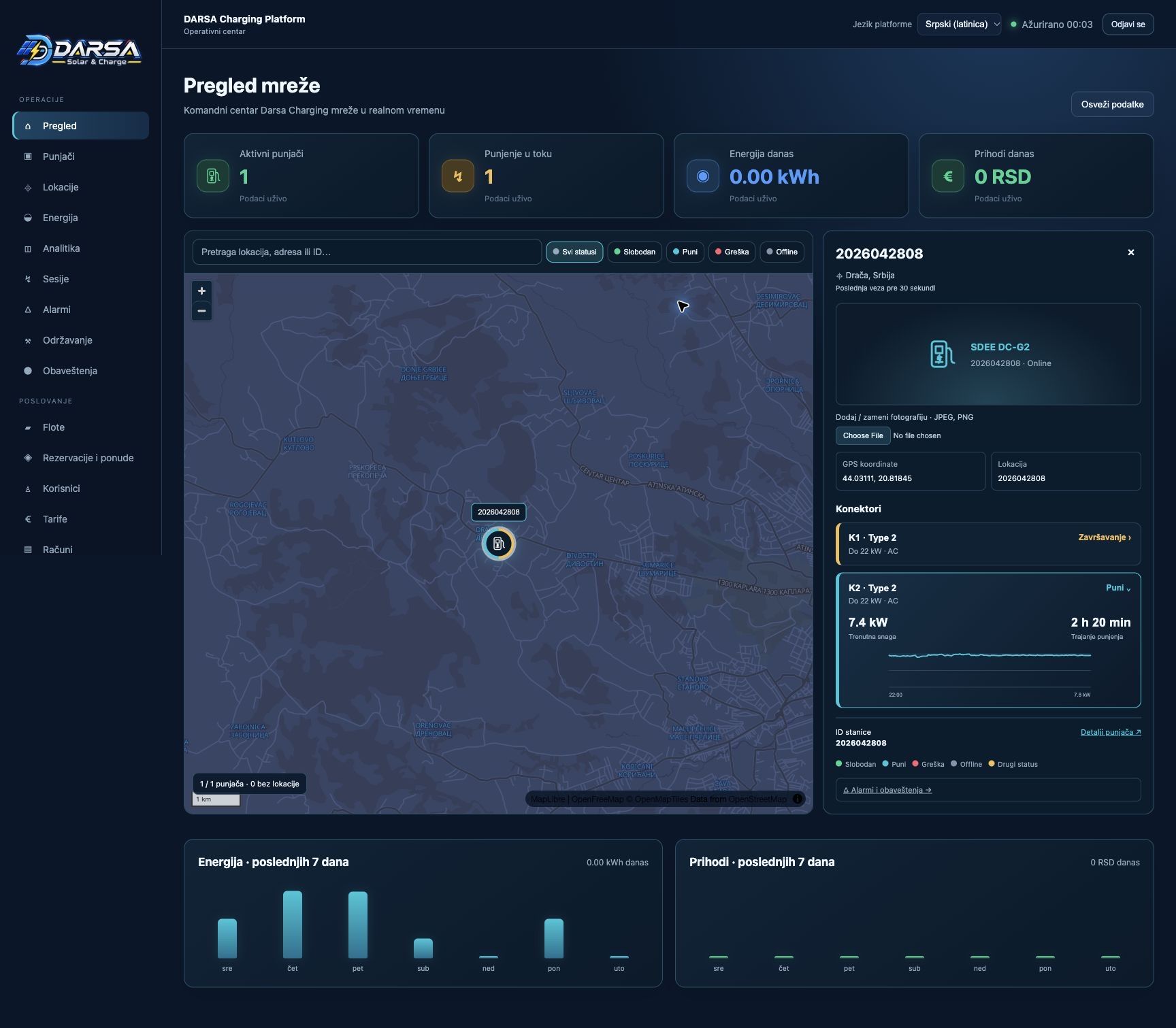
Full DARSA CPO overview of the network, connectors and graphs

View the full platform interface. Click for full size. The values ​​in the snapshot represent the moment of the snapshot, not the current state of the network.

Network and sessionsCharger and connector status, location map, event history and independent tracking K1/K2.
Telemetry and energyPower, energy and available measurements. Solar and grid overview with Deye Cloud data integration.
Business and accessTariffs, fleets, users, workspaces and White Label Center, with roles, permissions and audit records.
What does the latest platform revision bring?

Stricter charging authorization and protection against duplicate and late events. Clearer binding of session to payer, separate tracking of connectors and consistent interpretation of power and energy units.

AI monitoring distinguishes a brief connection check from a confirmed fault. Partner access respects the organisation's scope, and releases are checked with a backup and rollback option.

Based on revision 11. Availability of features depends on configuration and supported charger.

02 / FOR DRIVERS AND FLEETS

Every kilometer.
Under your control.

eMSP — e-Mobility Service Provider — connects the driver with the charging service. DARSA Charge brings station finding, route planning and session overview to the mobile experience.

Charging that recognizes youGPS recognizing a nearby DARSA charger, selecting a connector and returning to your active session.
One vehicle. Or the whole fleet.Vehicle profile, routes, energy, drivers and reports in one place.

DARSA Charge for iOS is currently in the TestFlight distribution. For a demo and access information, contact the DARSA team.

Request a demo ↗
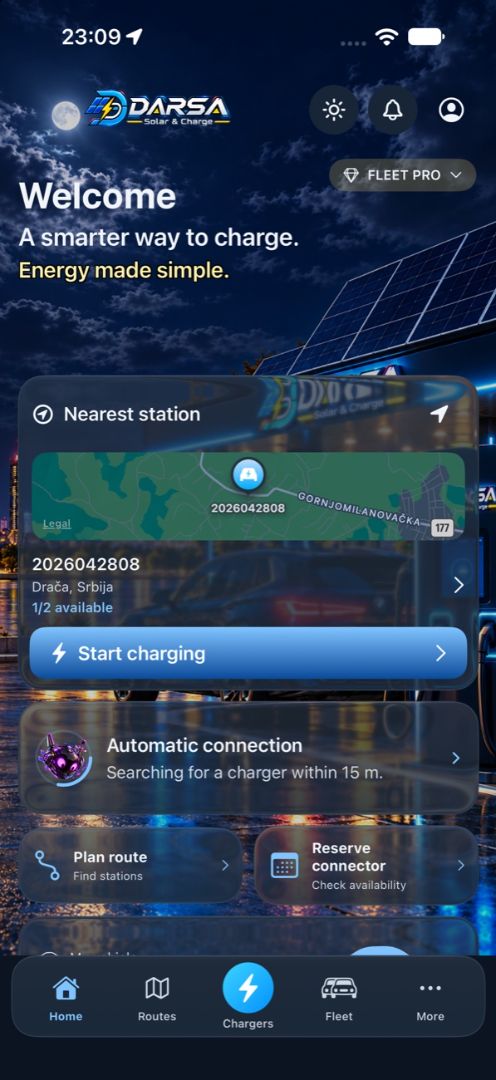
DARSA Charge — the entire home screen of the application

Actual app view. Open full image ↗

EXPLORE THE DARSA WORLD

Eight areas.
One connected experience.

Select an area and open its options — according to the Welcome screen of the DARSA Charge application.

01Charging

Connect. Confirm. Follow.

GPS recognition of a nearby DARSA charger, connector suggestion and manual or QR selection. Independent tracking of K1 and K2 and return to active session.

Automatic start, when enabled, requires a signed-in account, fulfilled account conditions and a current status for the connected connector. It may take up to 60 seconds.
02Routes

Travel with a clear plan.

AI Dynamic Route Planner, chargers along the route, and battery and stop-duration estimates. Continue navigation in Apple Maps and explore places upon arrival.

Estimates depend on vehicle, initial battery level and available data.
03Energy

See where the energy comes from.

Power, delivered energy, measurement history and charge flow chart. Informative presentation of the relationship between solar energy and energy from the grid.

The SoC is displayed when the vehicle and charger support it. The solar share is an estimate; not a change in the user tariff.
04DARSA AI

Support every step of the way.

Charging assistance, monitoring of connection and confirmed events, AI function status and connector recognition support.

Billing verification involves a human decision. Energy recommendations do not mean uncontrolled automatic management of the charger.
05Fleet

One vehicle. Or the whole fleet.

Vehicles and drivers in one place. Budget, cost and session overview, usage planning and energy reports.

Priorities and available functions depend on the contracted package and organization settings.
06Wallet

Costs under your control.

View charging bills, history and session-related documents, with CSV export and top-up settings.

Card payment and fiscalization are currently in test mode. Production payment methods are introduced upon activation of the respective services.
07Vehicle

Your car. Your profile.

Catalog of electric and plug-in vehicles, WLTP data, battery capacity, connections and charging power. Vehicle associated with CPO account.

The initial battery percentage can be entered manually; available data depends on the specific model.
08Account

Everything important in one place.

Notification center, warning when charging is complete, packages and subscriptions and user experience management.

RFID depends on device support. Commercial roaming requires activation of the partner network; The Hubject link is currently inactive.

FROM ARRIVAL TO CHARGING

Four steps.
Open and explore each one.

01Approach the station
The app uses GPS to recognise a nearby DARSA charger within approximately 15 metres. Accuracy depends on location and signal.
02Connect the vehicle
Connect the cable and select the appropriate connector. Manual selection or a QR flow is available.
03Confirm the connector
CPO checks the current K1/K2 status, signed-in account and starting conditions. The connector suggestion is followed by user confirmation.
04Monitor the session
After a confirmed start, it monitors power, energy and available telemetry. Autostart, when enabled and conditions are met, can take up to 60 seconds.

GOOD TO KNOW

Clearly defined capabilities.

Are billing and fiscalization active?
They are currently in test mode. Production card billing and fiscalization require the activation of appropriate services and final checks. Test Wallet is not money.
Is roaming available in partner networks?
The platform has an administration and test flow for roaming. The commercial Hubject link is currently inactive; availability depends on partnership agreements, connectivity and network acceptance.
Are all measurements and AI functions automatically available?
Availability depends on charger, vehicle, package and activated integrations. SoC requires device support. Solar share and energy balances are informative estimates; AI energy functions currently provide monitoring and recommendations.

NEXT STEP

Let's connect your
infrastructure and drivers.

Public charging station, business location or vehicle fleet — let's discuss a platform tailored to your organisation.